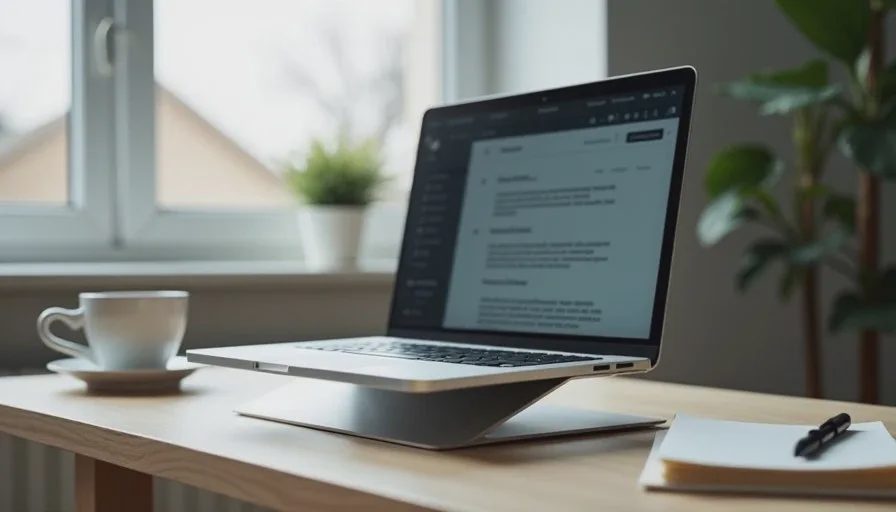
I used to watch people walk into the store convinced they needed the most powerful laptop on the shelf. They would list their needs—email, spreadsheets, video calls, browser tabs, maybe some light travel—and then point to the machine with the highest processor number and the biggest price tag. By the time they left, many had spent more than necessary for a device that would spend most of its life handling the same everyday tasks a mid-range model could manage just fine.
The best laptop for office work is rarely the one with the flashiest specs. It is the one that stays out of your way during a normal workday, keeps a usable charge through meetings and email, and still feels comfortable after a few weeks of real use. That is the filter I use when I evaluate machines for people who simply need work to feel less annoying.
What Office Work Actually Looks Like
Most office and hybrid roles share a predictable set of demands. You open a laptop, connect to email, jump between browser tabs, join video calls, update documents, and occasionally move between home and office. Battery life matters. Weight matters if you carry it. The keyboard and trackpad matter because you touch them for hours. Screen brightness and clarity matter for long days. Processing power beyond a certain point rarely changes how those tasks feel.
I have watched plenty of people buy machines built for video editing or gaming and then use them exclusively for the same routine. The extra capability sits unused while the higher price and sometimes shorter battery life become the daily reality. Matching the laptop to the actual work pattern is more useful than matching it to a marketing list of features.
The Features That Matter Day After Day
Battery That Survives a Real Day
A laptop that needs to be plugged in by mid-afternoon creates friction. For office work, look for models that can handle a full day of mixed email, browser use, and video calls on a single charge under normal brightness. Real-world numbers matter more than the optimistic claims printed on the box. After a few weeks of use, the difference between a machine that lasts and one that does not becomes obvious.
Weight and Portability You Will Actually Notice
If you move between rooms, commute, or travel even occasionally, weight adds up. A machine that feels fine on the desk can feel heavy on the shoulder after a few months. Many solid office laptops now sit in a range that balances screen size with carry comfort. Paying extra for the absolute lightest model is rarely necessary unless you are constantly on the move.
Keyboard and Trackpad Comfort
You will spend more time touching the keyboard and trackpad than looking at any other part of the machine. A keyboard that feels mushy or a trackpad that needs constant correction turns into low-level irritation. In retail I saw people focus on processor charts and ignore how the device felt under their hands. After two or three weeks of daily use, comfort usually wins.
Screen Clarity Without Overkill
A sharp, bright enough screen helps with long reading and video calls. High refresh rates and color profiles designed for creative work are useful for some people and unnecessary for most office tasks. A clear panel that stays readable in normal indoor lighting is enough for the majority of daily work.
Where People Commonly Overspend
The most common upsell I saw involved processors and graphics that far exceeded the actual workload. Sales conversations often framed the higher model as “safer” or “more future-proof.” In practice, the mid-tier option frequently delivered the same daily experience for email, documents, and calls while leaving more budget for a better charger, a stand, or simply keeping money in your pocket.
Storage upgrades are another frequent add-on. Cloud storage and external drives handle overflow for many people. Buying the largest internal drive by default is not always the most practical choice. Memory (RAM) is more important for keeping multiple tabs and apps running smoothly, but even there a sensible middle amount covers most office patterns without requiring the highest configuration.
A Practical Way to Decide
Start with your actual day rather than a feature list. Write down the tasks that fill most of your hours. Note whether you travel, how often you work away from a charger, and whether you care more about a quiet keyboard or a slightly brighter screen. Then look for machines that cover those needs without extras you will not use.
Try the keyboard and trackpad in person if you can. Sit with the weight on your lap or in a bag for a minute. Check how the screen looks under ordinary office or home lighting. These small checks often reveal more than a comparison chart.
I still keep a short keep-or-return note after living with a new laptop for a couple of weeks. Battery behavior, heat under normal loads, and whether the keyboard still feels good become clear only after real use. Specs give you a starting point. Daily life decides whether the machine stays.

Mid-Tier Often Feels Like the Smartest Choice
In my retail years the buyers who seemed most satisfied six months later were rarely the ones who bought the top configuration. They were the ones who matched the machine to their actual pattern and left the store without stretching their budget for features they would not notice. A capable mid-range laptop with solid battery life, a comfortable keyboard, and enough memory for normal multitasking covers the majority of office and hybrid work.
That does not mean every inexpensive laptop is a good choice. Build quality, support, and real battery performance still matter. It does mean the jump from a well-chosen mid-tier model to the flagship is often smaller in daily experience than the price difference suggests.
What I Look for When I Recommend
When someone asks me what laptop they need for office work, I start with the same questions: What fills most of your screen time? Do you carry it daily? How important is all-day battery? Are you hard on keyboards or do you mostly type lightly? The answers usually point toward a practical machine rather than the most expensive one on the shelf.
A good work laptop should feel reliable after the first month, not just impressive on day one. It should survive a full day of meetings without constant searching for an outlet. It should stay comfortable under your hands. And it should leave enough budget for the small accessories—chargers, stands, or a better bag—that often improve the experience more than an incremental processor upgrade.

Final Thought
The best laptop for office work is the one that matches how you actually spend your days and still feels fine weeks later. Spending more does not automatically buy a smoother workday. Spending with clear priorities usually does.
If you are currently shopping, start with your real tasks instead of the highest number on the spec sheet. You will likely end up with a machine that costs less and serves you better. That is the practical approach I wish more people heard before they reached the checkout counter.

No comments yet.