
I used to watch customers walk into the tablet section already convinced they needed the highest-storage model with the most powerful chip and the most expensive stylus. When I asked what they actually planned to do with it, the answers were usually simple: read documents and books, answer email, join the occasional video call, watch something on a flight, or carry a lighter screen between home and office. Very few of them were planning to illustrate, edit video, or run professional design software.
Yet the conversation often drifted toward the top configuration anyway. The extra cost bought capability they would never use and sometimes reduced battery life or added bulk they did not need. A tablet for work, reading, and travel is a different product from a tablet meant for art school or content creation. Matching the device to the real tasks keeps both the price and the daily experience more reasonable.
What Everyday Tablet Use Actually Looks Like
For most office workers, hybrid employees, graduate students, and frequent travelers, a tablet spends its time on a predictable set of jobs. You open email and documents. You read articles, reports, or books. You join a video call when a laptop feels like overkill. You watch something on a plane or in a hotel. You occasionally annotate a PDF or take light notes. You want the battery to last through a full day of mixed use and the device to feel light enough that you actually bring it with you.
Those tasks do not require the highest performance tier. They require a clear screen, reliable battery life, comfortable weight, decent speakers for calls or video, and enough storage for the files and apps you actually keep on the device. Everything beyond that is optional.
The Features That Matter for Work, Reading, and Travel
Screen That Stays Readable
A sharp, bright enough display makes long reading sessions and document review less tiring. You do not need the absolute highest resolution or the most advanced color system if you are not doing color-critical creative work. You do need a screen that remains comfortable indoors and remains usable in ordinary airplane or café lighting. Size is personal—many people find 11-inch class tablets strike a useful balance between readability and portability.
Battery That Matches Real Days
Claimed battery numbers are written for ideal conditions. What matters is whether the tablet survives a full day of mixed reading, email, and occasional video without forcing you to hunt for an outlet. Tablets used primarily for consumption and light productivity often deliver strong real-world endurance when they are not pushed into heavy creative workloads.
Weight and Size You Will Actually Carry
A tablet that feels fine on the couch can feel less appealing in a bag if it is heavier than necessary. For travel and daily carry, every ounce counts over time. Many solid everyday tablets now sit in a weight range that makes them easy to bring along without becoming the item you leave at home.
Software and Keyboard Options That Fit Light Work
If you plan to answer email or edit documents, check how the tablet handles a keyboard case or Bluetooth keyboard. Some people never need one. Others find that a simple keyboard turns the tablet into a useful secondary work device for short sessions. You do not need the most expensive keyboard folio; you need one that feels stable enough for the amount of typing you actually do.
Features You Can Usually Skip
High-end styluses and advanced drawing performance are excellent if you illustrate or take heavy handwritten notes. For pure reading, email, and light annotation they are often unused. The same is true for the highest storage tiers. Cloud storage and selective downloading handle a large portion of everyday files. Buying the largest internal storage by default is rarely the most practical choice for non-creative work.
Top-tier processors matter when you edit video or run demanding creative apps. For browser tabs, documents, reading apps, and video calls, mid-range performance is usually more than enough and can help preserve battery life.

How I Decide What to Recommend
When someone asks me what tablet they need for work and travel, I start with the same questions I used on the sales floor and still use in my own life:
What will fill most of the screen time—reading, email, video, or something heavier?
Will you carry it every day or only on trips?
Do you need to type more than a few sentences at a time?
Is a stylus something you will use weekly or something that just sounds appealing?
The answers usually point toward a capable mid-range tablet with solid battery life and a comfortable size rather than the flagship configuration. I also pay attention to how the device feels after the first week. A tablet that stays pleasant to hold, does not heat up during ordinary use, and still has charge left at the end of a normal day is doing its job.
I apply the same day-10 filter I use with every other device. If the tablet starts to feel heavier than expected, if the battery dips earlier than claimed under real conditions, or if I keep leaving it behind in favor of my phone or laptop, those are useful signals. Early irritation is more informative than first-day excitement.
Practical Setup Tips for Everyday Use
A simple case that provides basic protection without adding unnecessary bulk makes daily carry less stressful. If you plan to type, test a keyboard case or a lightweight Bluetooth keyboard rather than assuming you need the most expensive option. For reading, a matte screen protector can reduce glare on flights or near windows without destroying the clarity of the display.
Storage management matters more on a tablet than many people expect. Keep only the apps and files you actively use. Download reading material and documents as needed rather than treating the tablet like an archive. This approach keeps performance smooth and reduces the pressure to buy the highest storage tier.
Charging should be straightforward. A compact charger that can also top up your phone reduces the number of cables you need to pack. Cable length again matters—short cables force awkward positioning on airplane trays or hotel desks.
Common Mismatches I Still See
The most frequent mismatch is buying a creative-focused tablet for pure consumption and light productivity. The extra capability sits unused while the higher price and sometimes heavier design become the daily reality. Another common pattern is choosing the largest storage option “just in case” and then using only a fraction of it.
People also underestimate how much they will use the tablet versus the phone. If most of your reading and email already happens on a large phone, a tablet needs a clear additional role—better reading experience, longer battery for travel, or easier document review—to justify the extra device. Without that role it often becomes another screen that needs charging and updating.
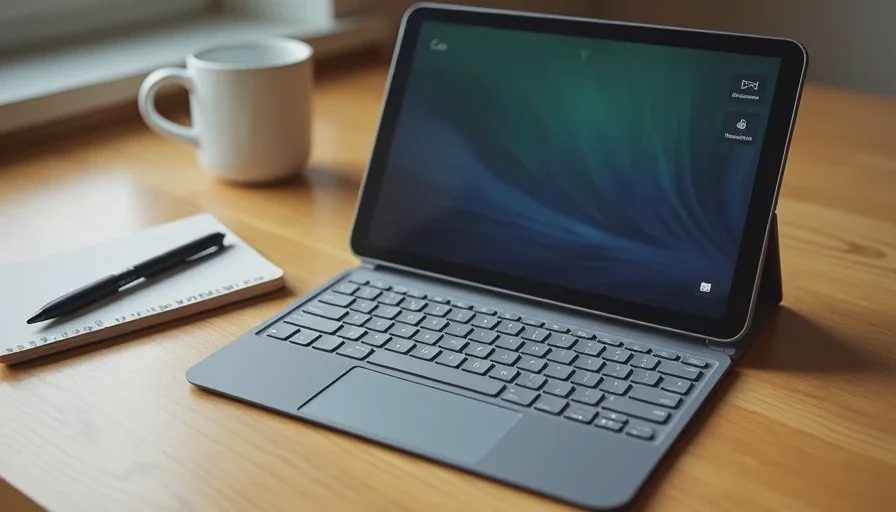
What a Good Everyday Tablet Feels Like After a Few Weeks
The tablets that stay in rotation share quiet strengths. They feel light enough that you bring them without thinking. The battery matches real mixed-use days. The screen remains comfortable for long reading sessions. The device does not generate heat or fan noise during ordinary tasks. Software stays responsive for email, documents, and browser use.
When those conditions are met, the tablet becomes a useful third device between phone and laptop rather than a redundant one. It handles the reading and light work that feel awkward on a phone and unnecessary on a full laptop. That is the practical role most people actually need.
Final Thought
If your tablet will spend its life on email, documents, reading, and travel rather than illustration or video editing, you can safely ignore much of the high-end marketing. Focus on screen comfort, real battery life, weight, and simple productivity features. Choose the configuration that matches the hours you will actually spend with the device, not the configuration that sounds most impressive on a spec sheet.
A good device should make your day easier, not louder. A tablet chosen for the work and travel you really do will stay useful long after the novelty of a higher-priced model would have faded. Start with your actual tasks, apply a short real-use test, and keep the one that still feels pleasant by day 10. That approach consistently leads to better everyday results than chasing the top of the lineup.



No comments yet.