
I used to think a better laptop or a bigger monitor would make work feel smoother. Sometimes it did. More often the real improvement came from removing the small piles of cables, half-used notebooks, and charging bricks that accumulated on the desk. Clutter does not only look messy. It creates low-level friction every time you need to find a pen, plug in a device, or clear space for a notebook. For people who dislike that constant visual and physical noise, a few targeted setup fixes usually deliver more daily relief than another hardware upgrade.
These are the changes I return to whenever a desk starts to feel heavier than it should. None of them require a complete redesign or a large budget. They focus on the items that generate the most repeated irritation.
Why Clutter Feels Louder Than It Looks
A crowded desk forces small decisions all day. Where can I put this paper? Which cable is the right one? Can I move the laptop without unplugging three things? Each decision is minor. The cumulative effect is a background sense that the workspace is working against you.
Visual clutter also competes for attention. When the surface is covered with objects you do not actively use, the eye has more to process before it settles on the work. People who prefer calm environments notice this quickly. Clearing the unnecessary items often produces a quieter mental state even before any new tools are added.
The goal is not a minimalist photograph. The goal is a surface that supports the work you actually do without requiring constant rearrangement.
Fix 1: One Reliable Charging Spot
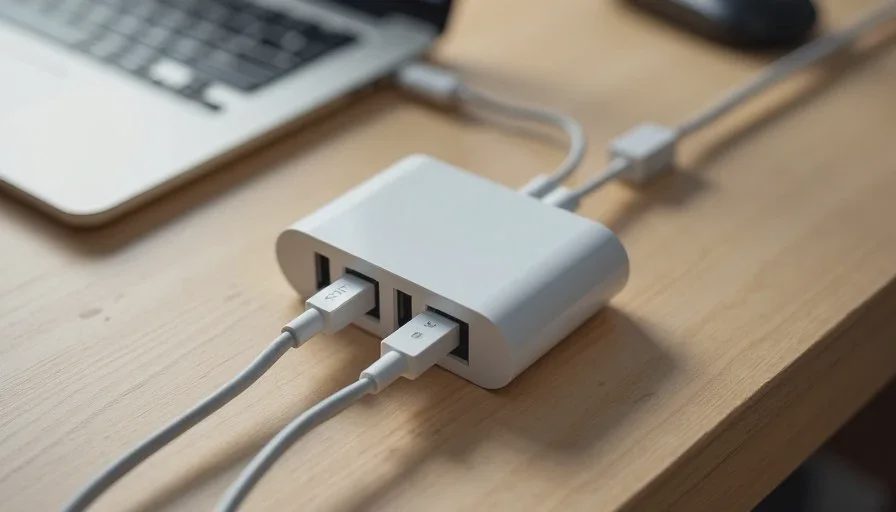
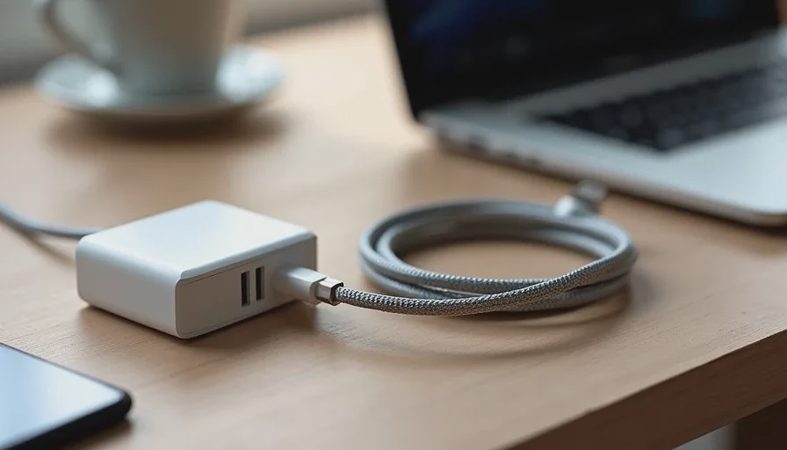
Multiple chargers and cables create the most persistent clutter on most desks. Phone cable, laptop brick, earbud case, watch charger—each one claims space and adds to the tangle.
I keep a single multi-port charger in a fixed location and route only the cables I use daily. Everything else stays in a drawer or a small box. The desk surface gains immediate open space, and the daily question of “which cable?” disappears. A short cable sleeve or a few adhesive clips keep the remaining cords from drifting.
This change alone removes a surprising amount of visual noise and daily friction.
Fix 2: A Laptop Stand Paired With a Compact Keyboard
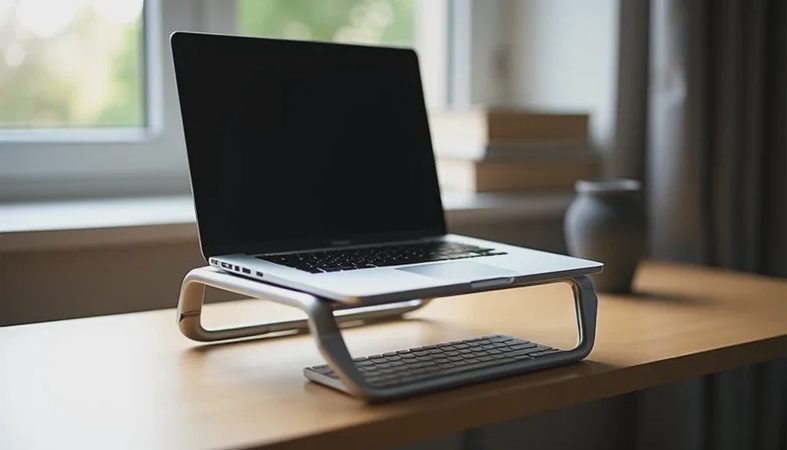
A laptop flat on the desk occupies a large footprint and encourages a downward head angle. Raising it on a stable stand frees the surface in front for a slim external keyboard and mouse. The combination improves posture and creates a clearer primary work zone.
On a small desk the stand must have a modest base. The keyboard must be compact enough to fit the remaining depth. When both pieces are chosen with the actual desk dimensions in mind, the setup feels intentional rather than crowded.
Fix 3: Vertical Storage for the Items You Reach For
Notebooks, pens, and daily references do not need to live flat on the surface. A simple vertical file, a narrow shelf, or even a sturdy stand that holds a notebook upright keeps them accessible without claiming permanent horizontal space.
I keep only the current notebook and one pen on the desk. Everything else moves to a nearby vertical spot. The surface stays clearer, and the items I need are still within arm’s reach.
Fix 4: A Defined Work Triangle
Most desks work better when the primary objects form a small, consistent triangle: screen, keyboard, and pointing device. Secondary items—phone, notebook, drink—sit just outside that triangle in fixed positions.
When every object has a default location, the desk resets itself at the end of the day with almost no effort. When objects float, clutter returns within hours. Defining the triangle is less about rules and more about removing the need to decide where things go each morning.
Fix 5: Cable Routing That Stays Invisible
Cables that cross the desk or dangle off the front edge create both visual and physical irritation. Routing them along the back edge or under the desk with simple clips or a basic cable tray removes that irritation permanently.
I prefer solutions that do not require tools or permanent modification. Adhesive clips, a short cable sleeve, and one under-desk hook are usually enough. Once the cables stop moving, the desk surface feels larger even though its dimensions have not changed.
Fix 6: A Single Catch-All That Actually Gets Emptied
Paper, USB drives, and random small items accumulate because there is no designated place for them. A single small tray or shallow box at the edge of the desk gives those items a temporary home. The critical habit is emptying it at the end of each day or week.
Without the emptying step the catch-all becomes another pile. With the emptying step it prevents the rest of the desk from collecting the same debris.
Fix 7: Lighting That Reduces Visual Stress
Harsh overhead light or a screen that is much brighter than the surroundings makes the entire workspace feel more fatiguing. A simple desk lamp with adjustable warmth and brightness, positioned to avoid glare, softens the environment and reduces the sense of clutter even when the physical objects remain the same.
Good lighting is not usually categorized as a clutter fix, yet it changes how the desk feels throughout the day. A calmer visual field makes remaining objects less intrusive.

How I Test Whether a Fix Is Working
I use the same short evaluation period I apply to devices. After one or two weeks I notice whether I am still rearranging the same items, whether cables have migrated back across the surface, and whether the desk still feels calm at the end of a normal day.
Fixes that require constant maintenance tend to fail. Fixes that become automatic tend to stay. The best changes are the ones I stop noticing because the irritation they removed is simply gone.
What I Avoid
Large desk mats that collect every crumb and force a full clearing whenever something is spilled. Overly complex modular systems that look organized in photographs and become tedious to maintain. Permanent adhesive solutions that limit future adjustments. Decorative objects that serve no function and slowly migrate into the primary work zone.
The test is simple: does this object or system reduce daily friction, or does it create a new category of management? Only the first category earns permanent space.
Practical Order of Operations
Start with charging and cables. The visual and physical payoff is immediate.
Next raise the laptop and introduce a compact keyboard if posture or space is an issue.
Then move secondary items to vertical or edge storage.
Finally address lighting and the small catch-all.
Doing the changes in this order prevents the feeling that the entire desk must be solved at once. Each step produces a noticeable improvement on its own.
Why These Fixes Outperform Most Hardware Upgrades
A new monitor or laptop can feel like progress. If the surface underneath remains crowded and the cables remain tangled, the daily experience improves less than expected. Clearing the friction that surrounds the devices often produces a larger change in how the workday feels.
I have watched people spend significant money on new equipment while leaving the same clutter patterns in place. The equipment was fine. The environment continued to generate low-level stress. The reverse approach—stabilizing the environment first—usually creates more lasting calm.
Final Thought
A desk that stays relatively clear does not require perfection or expensive organizing products. It requires a few deliberate decisions about charging, cables, primary work zone, and the fate of secondary items. Once those decisions are in place, the surface stops generating constant small negotiations.
People who hate clutter do not need a showroom desk. They need a workspace that supports ordinary hours without adding visual or physical noise. The fixes above are the ones I return to because they reliably produce that result without demanding ongoing attention.
A good device should make your day easier, not louder. The same standard applies to the desk that holds the device. Clear the friction that surrounds your tools, and the tools themselves become easier to use. That is still one of the highest-leverage changes available for everyday work.

No comments yet.